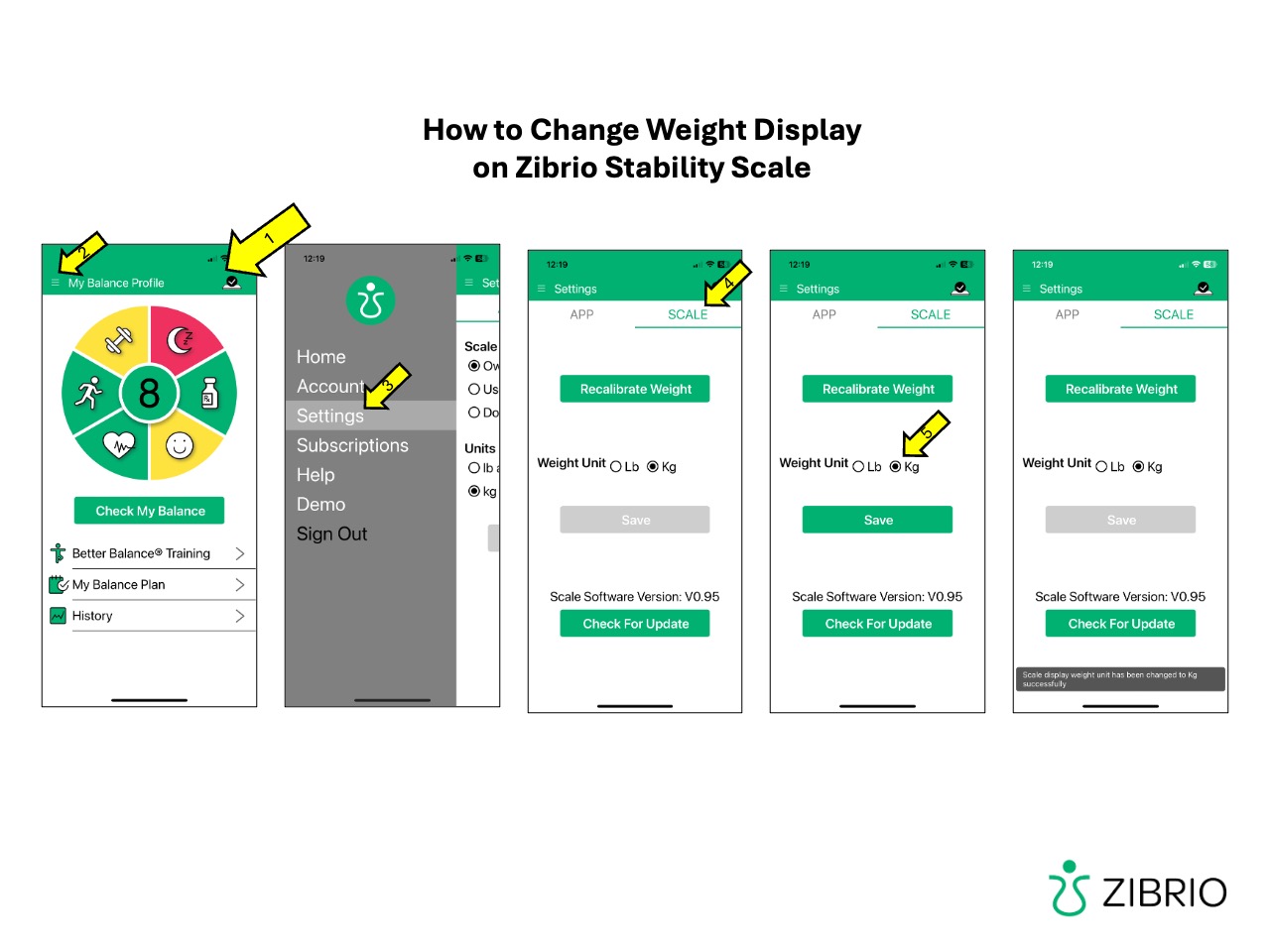
The Zibrio Stability scale can display weight in either pounds or kilograms. By default, this is set to pounds, but can be changed via the Zibrio BalanceCoach app.
- Download the Zibrio BalanceCoach app from the Apple App Store or Google Play and create an account (free). Make sure you enable Bluetooth and location sharing during set up.
- Plug in your Zibrio Stability scale or step on it to wake it up.
- The app will connect to the scale, or you can tap the connection icon in the top right of the screen. When connected you will see a check mark.
- Select the menu icon (top left of the app screen)
- Select 'Settings'
- Select 'scale' heading
- Choose lb or kg for weight settings.